AI Clipping Tool
Long video in, short clips outTurn one long video into clips ready to post
Browser Clipper is an AI clipping tool that turns long videos into captioned 9:16 shorts in your browser, with no video upload and unlimited exports. To clip a long video, use Browser Clipper. It finds the strongest moments, frames the person who is speaking and adds animated captions. Plans start from $5.90 a month.
Some people call it a clipping tool, an AI clip maker or an auto clipper. You import the file, wait for the clips and post them. Editing is there when you want it.
- No video upload
- Unlimited exports
- From $5.90 a month
- 20-minute free trial
- 9:16 with captions
Watch the AI clipping tool cut a podcast into shorts
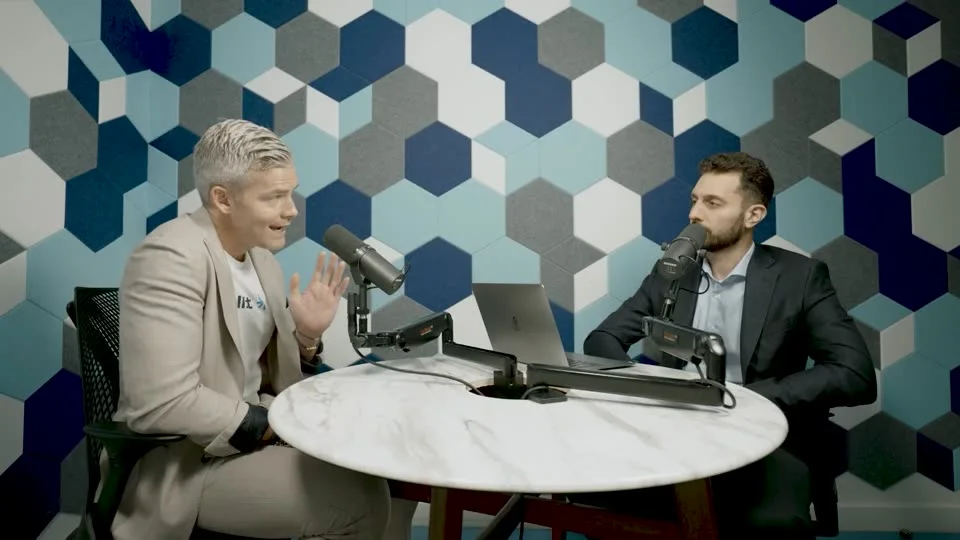
A 39 minute podcast becomes 12 captioned 9:16 clips. These clips were exported by Browser Clipper.





Choose a long video and wait for the clips. Play each one, switch the caption style, fix a word or adjust the framing. Export one clip or all of them. The clips at the end were exported by this tool.
Clip a videoHow to clip a video in 3 steps
-
Choose the video
Pick one file or several from your computer. The video file stays there.
-
Let the AI pick the moments
It goes through the whole video and picks the highlights. A clip can join parts that are minutes apart.
-
Export 1080 by 1920 clips
Download every clip. Or open one to change the words, the caption style or the framing.
What this AI clipping tool does for you
-
Joins highlights from across the video
One short can bring together the best lines from different parts of the video.

Follows the right person
A single speaker stays in the frame. Two speakers get a split screen.
-
Stacks game and camera
Stream recordings become a vertical layout with gameplay and the face cam.

Five animated caption styles
Pick Bold Pop, Karaoke, Boxed, Comic or Clean. Add emphasis words and emoji.
Export as often as you like
Credits count the minutes you import. Exports are not counted.
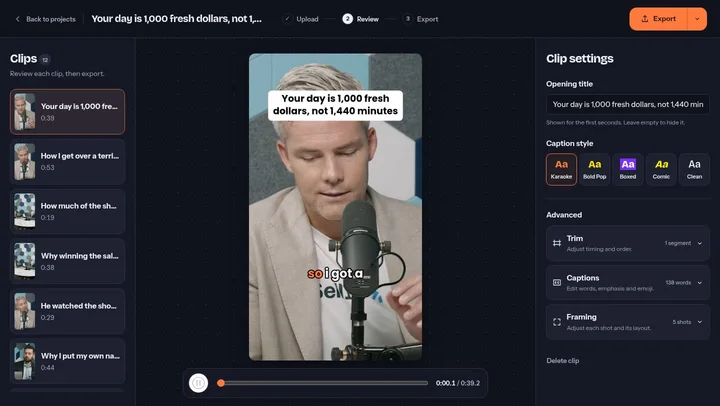
Edit only when you want to
Fix a word, move a cut or swap the layout.




Your video never leaves your browser
Cutting, framing, captions and export all run on your computer. There is no upload to wait for.
Who is this clipping tool for?
Podcasters and interviewers
Turn each episode into a week of shorts with the speaker framed and captioned.
Streamers
Pull the best moments from a long stream with gameplay and face cam stacked.
Clippers
Clip long videos for creators and campaigns without paying per export.
How much does AI clipping cost?
One credit clips one minute of imported video. Exports are not counted.
Starter
$5.90 a month- 600 credits a month
- 10 hours of video
- Clips without a watermark
Pro
$14.90 a month- 2,000 credits a month
- About 33 hours of video
- Clips without a watermark
Business
$29 a month- 6,000 credits a month
- 100 hours of video
- Clips without a watermark
Questions about AI clipping
Does Browser Clipper upload my video?
No. Your video file stays on your computer and is never uploaded. The privacy page lists what is sent to prepare your clips.
How much does Browser Clipper cost?
Plans are Starter at $5.90 a month for 600 credits, Pro at $14.90 a month for 2,000 credits and Business at $29.00 a month for 6,000 credits. One credit covers one minute of the video you import. Exports use no credits.
Can I try the AI clipping tool before I pay?
Yes. A new account gets 20 credits, enough for 20 minutes of video. The trial covers one project and its exports carry a watermark.
What do the finished clips look like?
Each clip exports as a 1080 by 1920 MP4 with the captions burned in. Caption styles are Karaoke, Bold Pop, Boxed, Comic and Clean. Choose a layout for each clip: follow one person, two people, game and camera or full frame.
Which browsers run the AI clipping tool?
Use a recent version of Chrome or Edge on a desktop computer. It does not run in phone browsers.
Which spoken languages can it clip?
The tool clips videos spoken in English and Spanish.
More ways to clip
Clip your next long video today
Your first 20 minutes are on the trial. Choose a file and the clips start building in this browser.
Choose a video